Everything in one dashboard
Eight focused tabs — each telling a clear story about your Mac right now.
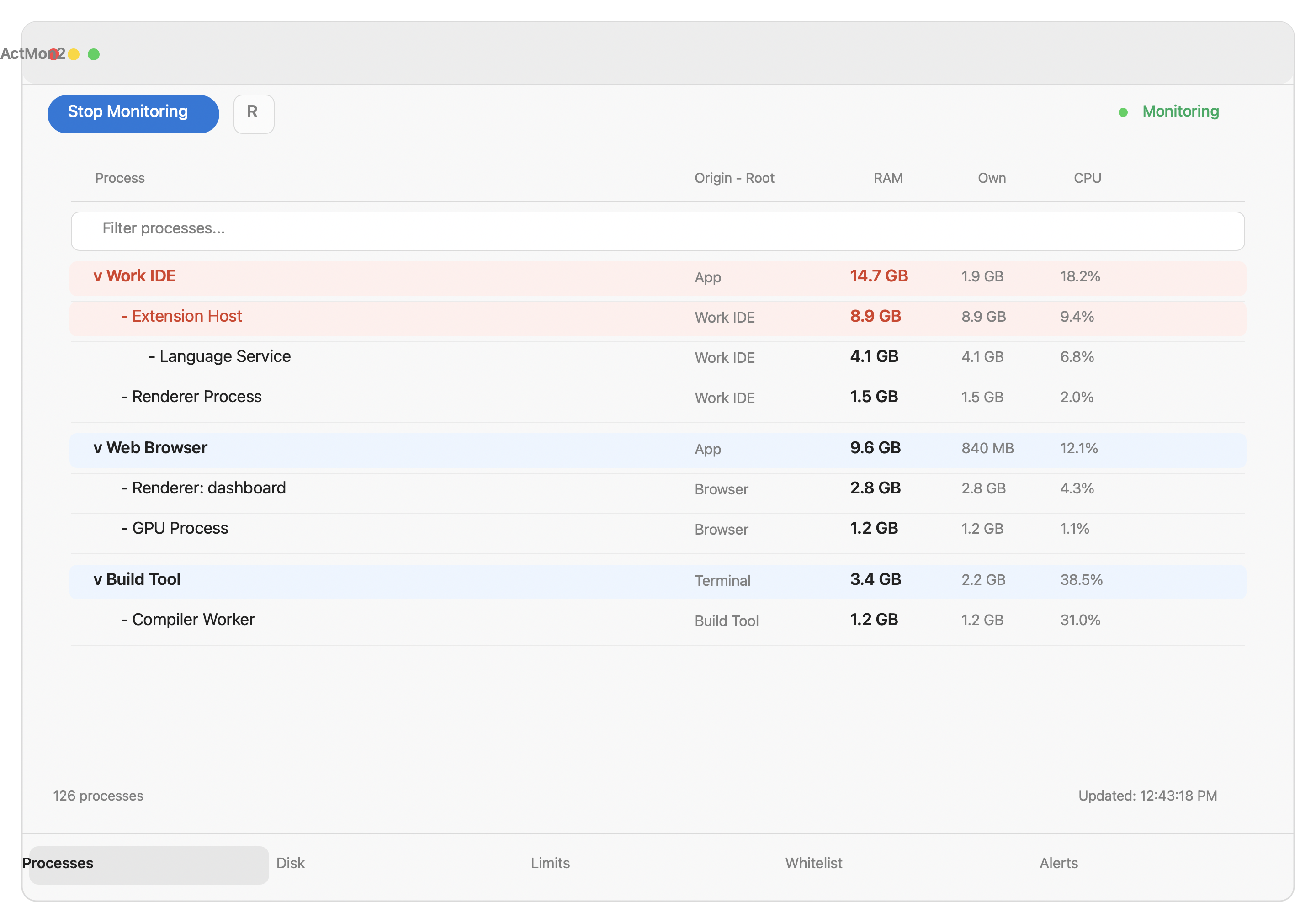
RAM — Process tree by memory
See every running process grouped by parent app, sorted by how much RAM it's using. Spot the process quietly eating gigabytes in the background.
- Tree view shows child processes nested under their parent app
- Live memory usage in MB per process, updated every few seconds
- Search by name to find any process instantly
- Freeze the view to compare a before/after snapshot
- Click any process to set a memory limit or whitelist it
CPU — Who's burning cycles
The same process tree, sorted by CPU usage instead of memory. Instantly find what's making your fan spin or draining your battery fastest.
- CPU % shown per process, calculated from real system counters
- Parent-child grouping makes it easy to blame the right app
- Same search and freeze controls as the RAM tab
- Refreshes independently so a CPU spike is never missed
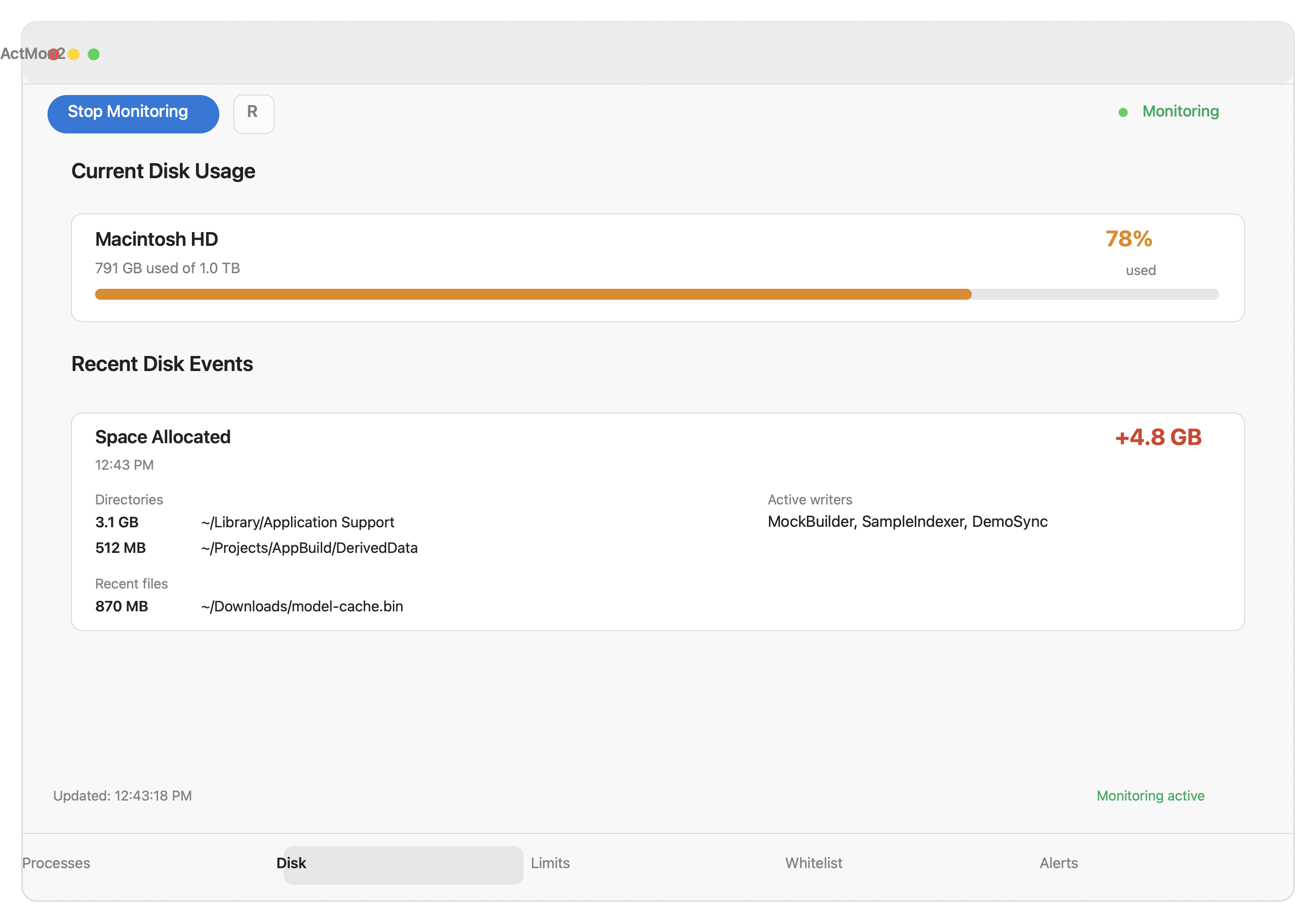
Disk — Where did the space go
A background daemon watches your disk 24/7 and logs write bursts. The Disk tab shows you which directories grew, which files changed, and which apps were actively writing at the time.
- Top directories and files written in recent windows (1 min, 5 min, 1 hr)
- Write bursts log shows app name, bytes written, and timing
- Free space, used space, and mount info per volume
- All data recorded by the background helper — available even if the app was closed
Network — Download and upload in real time
See your current network speed at a glance in the menu bar, and drill into the Network tab for a breakdown by process.
- Live download and upload rate shown in the menu bar icon
- Per-process bandwidth usage so you know who's hogging the connection
- Works on Wi-Fi and Ethernet simultaneously
- No third-party VPN or kernel extensions required
Power — Battery at a glance
Check your battery health, current charge rate, and recent discharge history. Understand whether you're on AC, how fast you're draining, and whether your battery is healthy.
- Live power draw in watts (charge or discharge)
- Battery health percentage and cycle count
- Recent discharge chart so you can see consumption over time
- Power rate shown in the menu bar alongside network speed
Audio — Which apps are using your mic or speakers
See exactly which apps currently have access to your microphone or audio output. No more wondering if something is listening.
- Lists every app with an active audio session
- Shows microphone input vs. speaker output separately
- Updates live as apps start and stop audio
- Uses native Core Audio — no extra permissions required
Focus — What you've been spending time on
Tracks which app is in the foreground throughout the day. See a timeline of your active windows and understand where your time actually went.
- Records the frontmost app with start and end timestamps
- Session timeline so you can review your day
- All data stored locally — nothing sent to any server
- Background helper keeps recording even with the dashboard closed
Alerts — Set limits and get notified
Define per-process memory limits. Get a native notification when a process blows past its threshold — and optionally kill it automatically.
- Per-process RAM thresholds — set once, monitored forever
- Optional auto-kill when a limit is exceeded
- Whitelist trusted processes so they never trigger alerts
- Alert history log with process name, PID, and memory at time of trigger
- Native macOS notifications — works with Do Not Disturb